
Product photos
Clean product photos from a cluttered table.
Shoot the item on your iPhone, remove the background on the device, and export it on white, black, or your brand color, cropped square, 4:5, or 3:4 at full resolution. Good for Etsy, eBay, Shopify, Depop, and your own site.
$3.99 once no subscription no in‑app purchases
Drag to compareTry a background
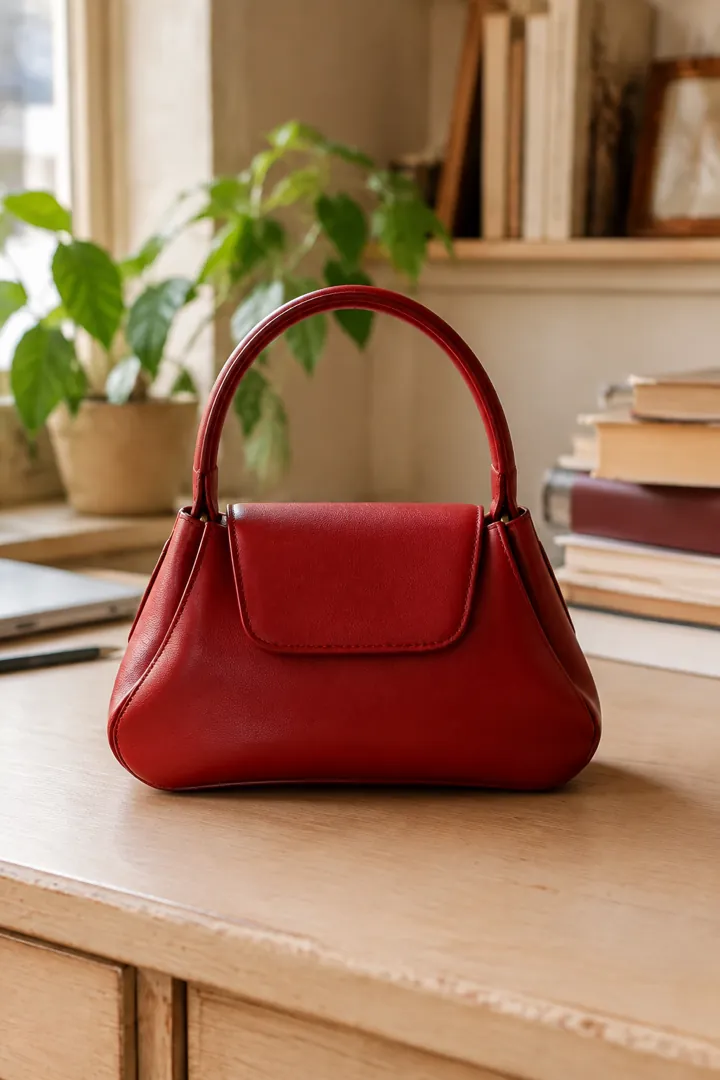
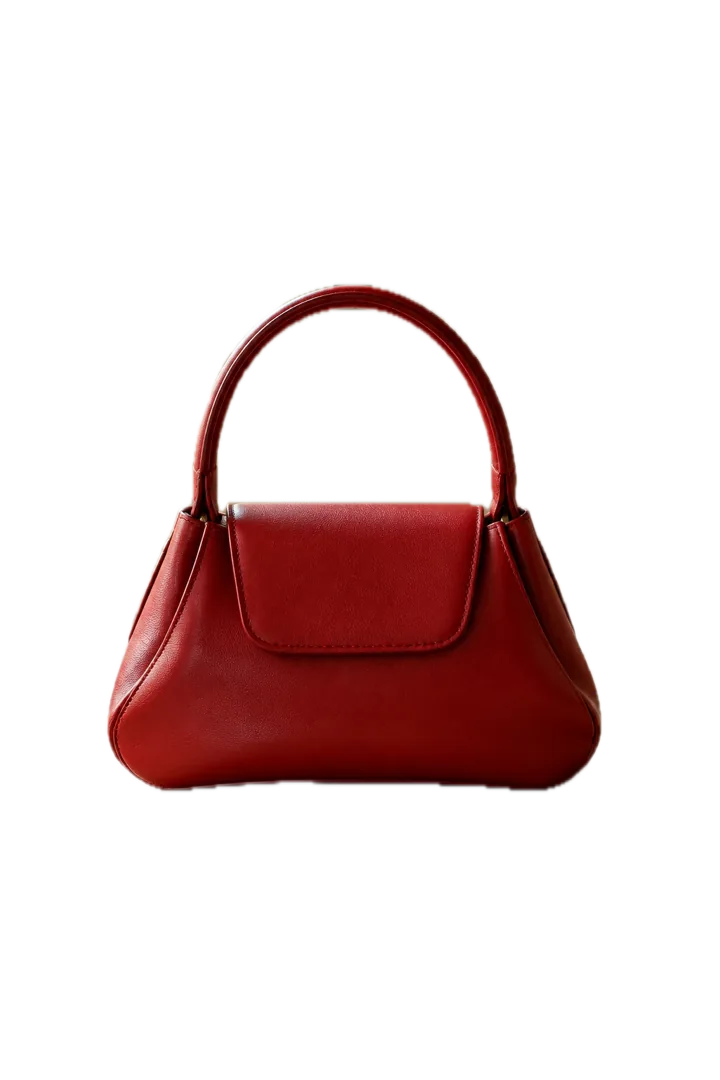
The workflow
Shoot, cut, color, crop, export.
- Shoot in soft, even light with the whole item in frame and some contrast against what’s behind it.
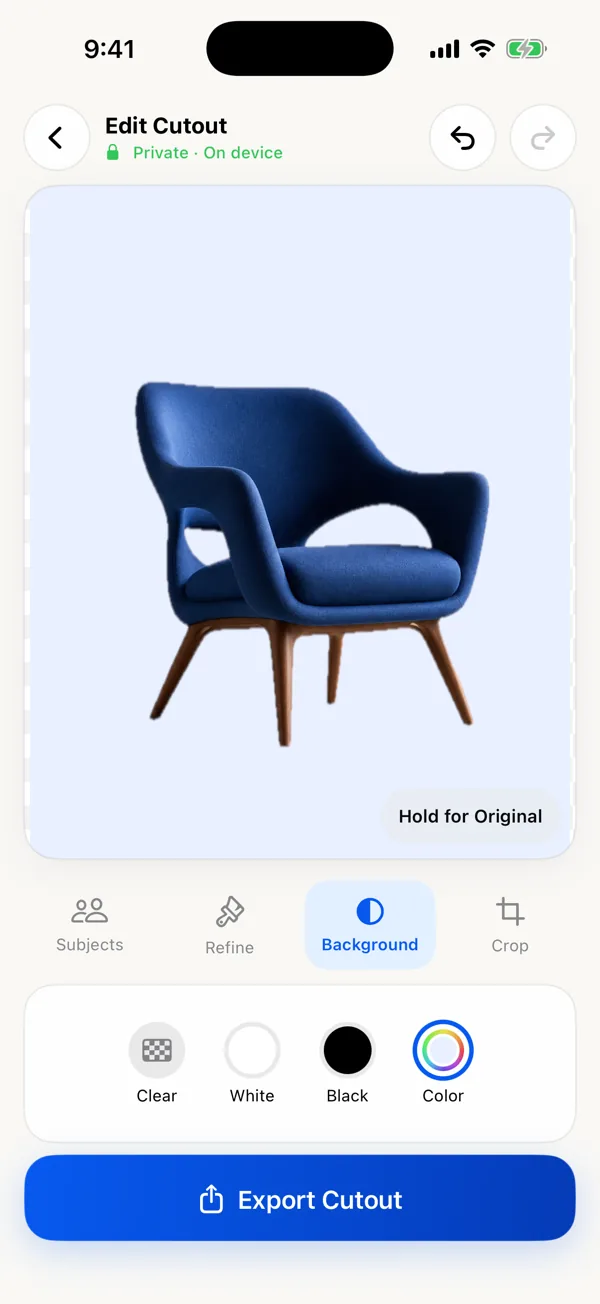
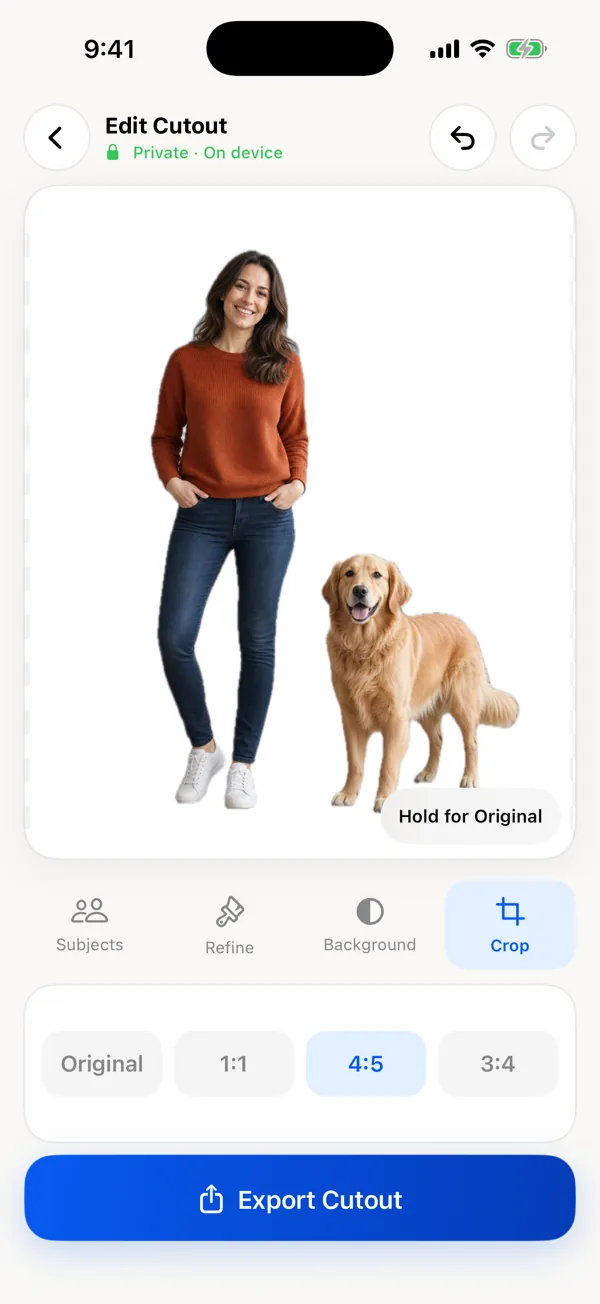
- Keep the product in Subjects; drop anything else the app detected.
- Refine handles, straps, and gaps with Restore and Erase. Zoom in on thin parts.
- Background: White for marketplaces, Black for contrast, Color for your brand.
- Crop 1:1 for most marketplaces, 4:5 or 3:4 for social feeds.
- Export as JPEG for smaller listing files or PNG for maximum quality.
Marketplace notes
Each marketplace sets its own photo rules, and they change. A few general points hold up:
- Amazon requires a pure white background (RGB 255, 255, 255) for main images, plus rules about how much of the frame the product fills. The app’s White option is full white, but the crop presets do not resize the product within the frame, so check Amazon’s current Seller Central requirements before uploading.
- Etsy, eBay, and Shopify don’t require white backgrounds everywhere, but a clean, consistent background makes a shop look tidy. Square (1:1) is a safe default for thumbnails.
- Keep it truthful. Remove the clutter, not the flaws. Buyers should get what the photo shows.
When a different tool fits better
If you list dozens of products a week and want AI-generated scenes, drop shadows, templates, or batch processing, a product-photo service like Photoroom is built for that, at a subscription price. This app is for sellers who photograph a few items at a time and want clean, private, full-resolution results for a one-time $3.99. See the comparison.
Limits to know
- One photo at a time; no batch.
- No shadows, reflections, or AI backgrounds.
- Glass, clear plastic, and items the same color as the background are hard to cut cleanly.