
Background remover for iPhone & iPad
Cut out the subject. Keep the photo private.
Background Remover: PNG Cutout finds people, pets, and objects on your device, lets you fix the edges by hand, and exports a full-resolution transparent PNG. No upload, no account, no credits.

$3.99 once no subscription no in‑app purchases
- On-device
- Works offline
- Full-resolution PNG
- iOS & iPadOS 17+
Drag to compareClear = transparent PNG

The same four choices the app gives you: Clear exports a transparent PNG; White, Black, or any color exports a flat background.
What people make with it
One cutout, three common jobs.
It is a focused editor for one photo at a time. Pick the subject, repair the edge, choose a background, and export the file you actually need.
-
 cat.png · alpha
Transparent PNGs
Drop a person, pet, or object into slides, collages, documents, and design apps without a white box around it.
Transparent PNG maker → -
 bag.jpg · white
Product photos
Turn a kitchen-table shot into a clean listing image on white, black, or a brand color, cropped square, 4:5, or 3:4.
Product photo backgrounds → -
 sticker.png · alpha
Stickers & designs
Export a full-resolution cutout for sticker sheets, print-and-cut projects, or your own artwork.
Sticker cutouts →
How it works
Automatic first. Editable after.
These are real screens from the current version. The first cutout appears on its own; every step after that is yours to adjust.
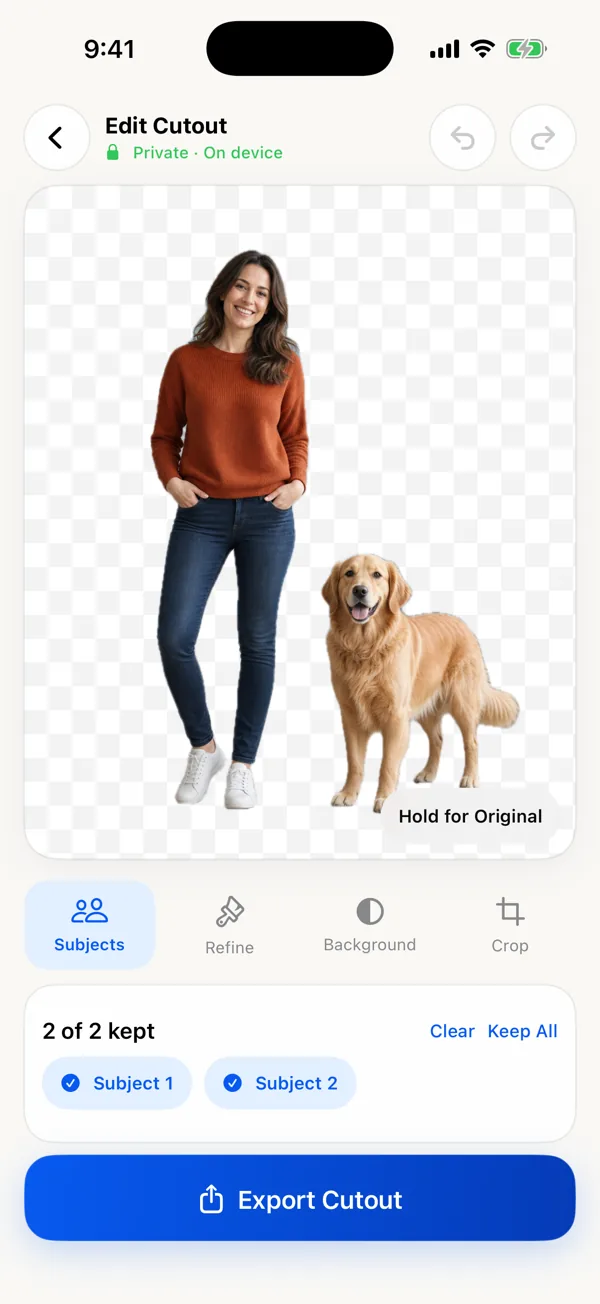
Keep the subjects
Apple Vision finds foreground people, pets, and objects on the device. Keep one, several, or all of them.
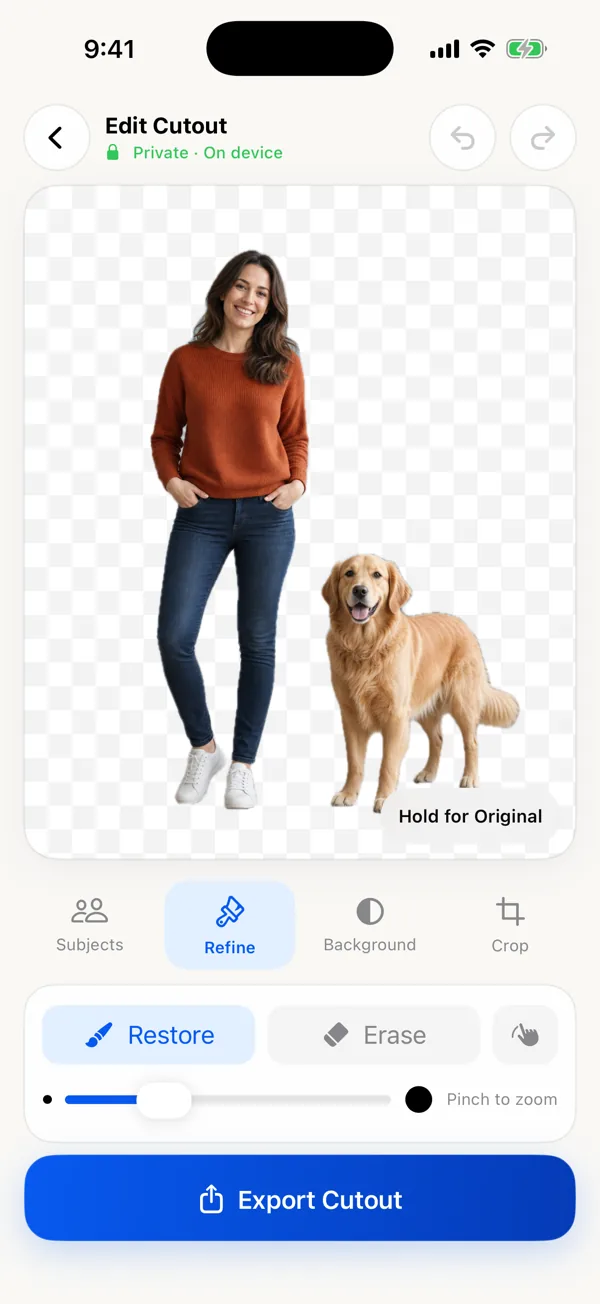
Fix the edges
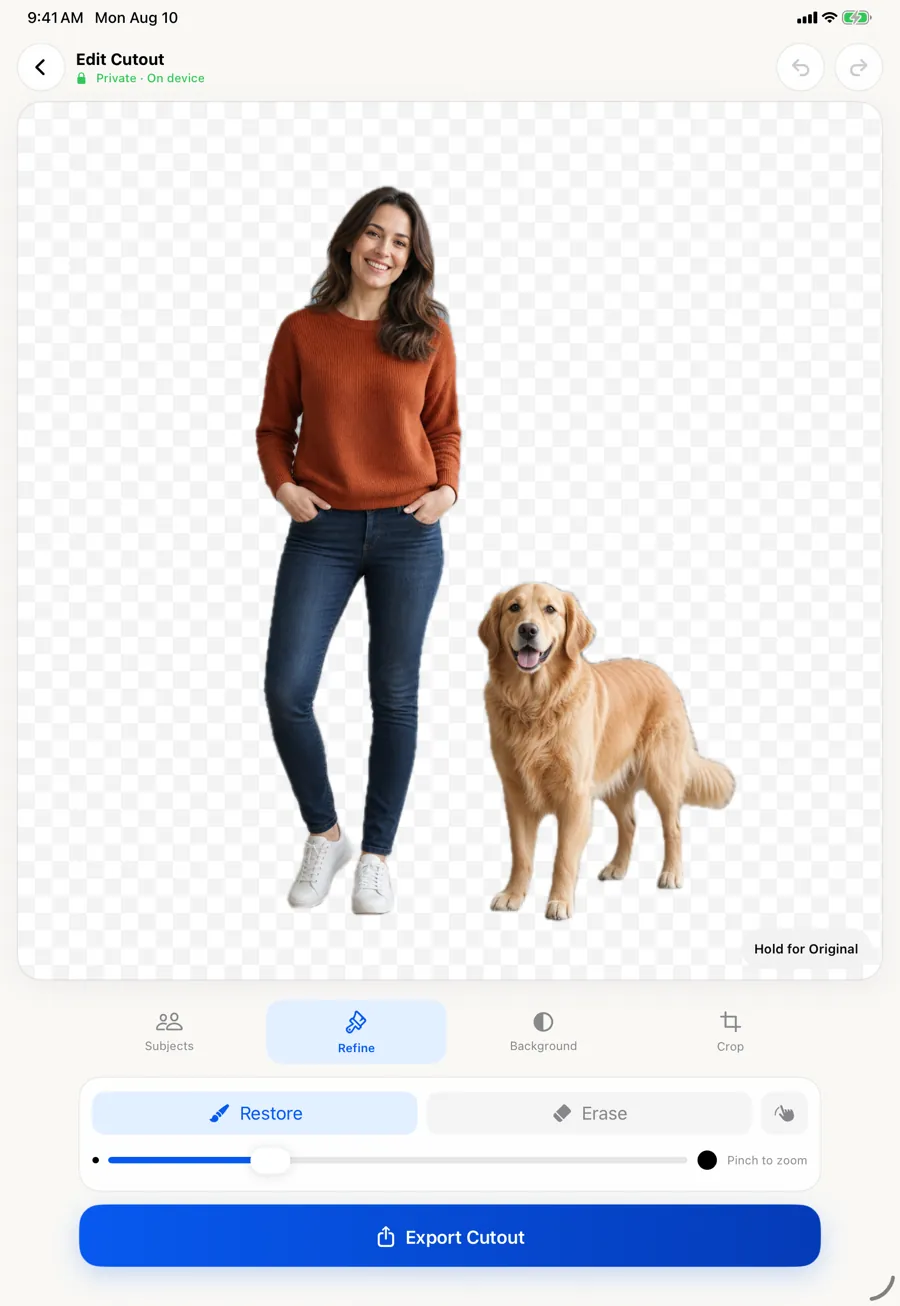
Restore paints detail back; Erase removes leftovers. Pinch to zoom, adjust brush size, undo and redo.
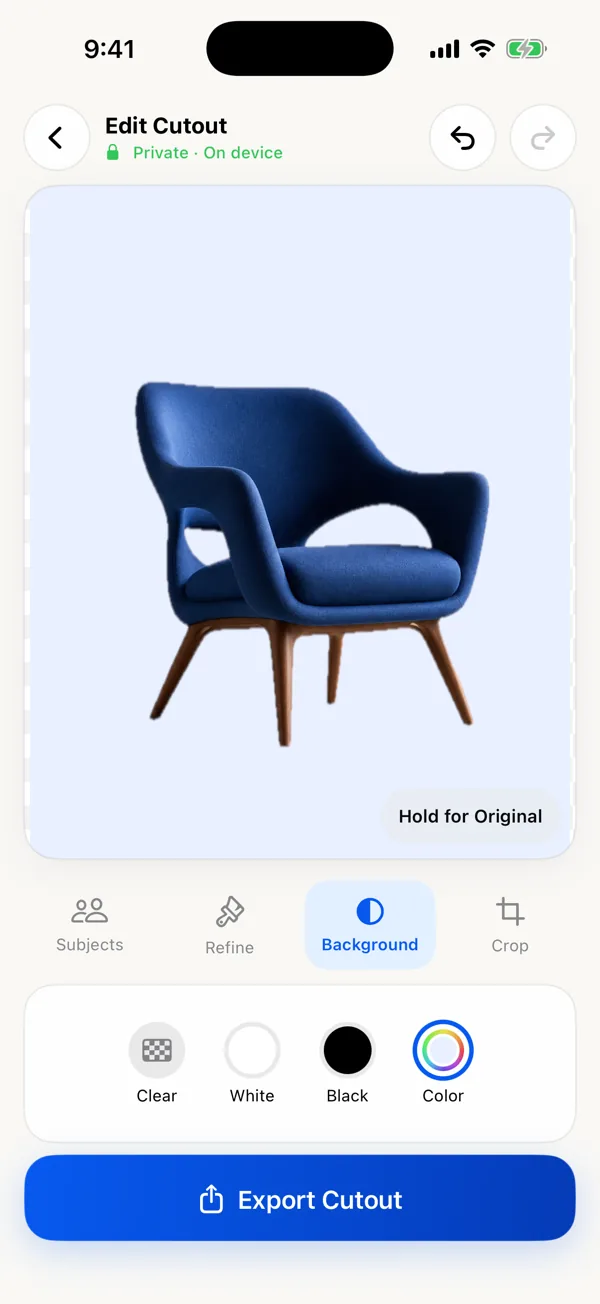
Pick a background
Clear for transparency, or White, Black, or any custom color. Crop to Original, 1:1, 4:5, or 3:4.
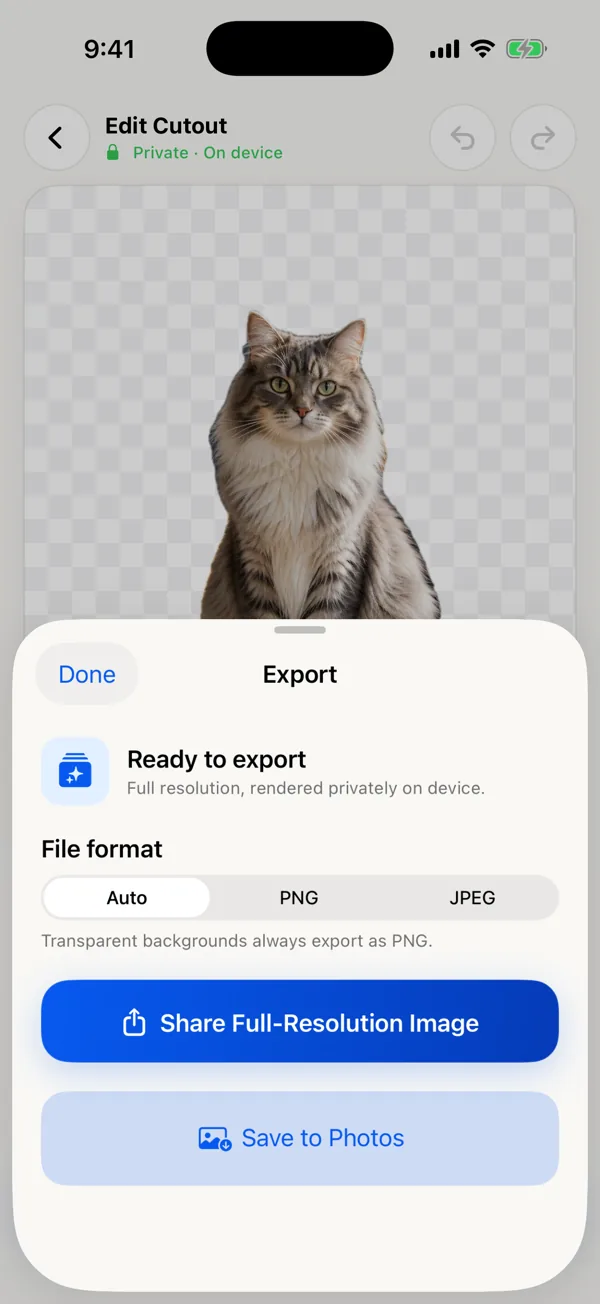
Export full size
Transparent results save as PNG. Solid backgrounds can be PNG or high-quality JPEG. Share or save to Photos.
Private by design
Your photo never leaves your iPhone.
Most background removers are web services: you upload the picture, a server cuts it out, and you download the result. This app does the cutout and the final full-resolution render on your device with Apple’s frameworks. The App Store privacy label is Data Not Collected.
- No photo upload or processing server
- No account or sign-in
- No ads, no tracking, no app analytics
- Works in Airplane Mode
- Save to Photos asks for add-only access
Honest fit
When you need it, and when you don’t.
Your iPhone already has a free cutout tool. Here is where this app earns its $3.99, and where something else is the better choice.
Good fit
- You need an actual transparent PNG file at the photo’s full resolution.
- The automatic edge is close but wrong in places, and you want to fix it by hand.
- You want to keep some subjects and drop others.
- You need a white or colored background with a standard crop.
- You would rather pay once than subscribe or buy credits, and keep photos off servers.
Use something else
- Quick copy or Messages sticker: touch and hold the subject in Photos. Apple’s built-in Lift Subject is free and often enough. When it’s enough.
- Hundreds of photos: this app edits one photo at a time. A batch or API service fits better.
- AI backgrounds, shadows, templates: try Photoroom, Canva, or Adobe Express.
- Mac, Android, web, or video: not supported.
Compare remove.bg, Photoroom, Canva, Adobe Express, and iPhone’s built-in tool →
Pricing
Pay once. Everything is included.
- No subscription
- No in-app purchases
- No credits or export limits
- No watermark
- Full-resolution export
- iPhone and iPad
iPhone and iPad
More room on iPad.
One purchase covers both. On iPad the same editor gives the preview more space, which helps when you are cleaning hair, fur, or thin handles with the Refine brushes.
Questions
Before you download.
Are my photos uploaded anywhere?
No. The cutout, your edits, and the final export are all processed on your iPhone or iPad. There is no account and no photo server. It works in Airplane Mode.
How much does it cost?
$3.99 once in the U.S. App Store. No subscription, no in-app purchases, no credits, no watermark. Other countries see Apple’s local price.
Does it export a real transparent PNG?
Yes. With the background set to Clear, export saves a PNG with transparency at the original photo’s resolution. JPEG can’t store transparency, so JPEG is only for solid backgrounds.
Is it better than the free Lift Subject in Photos?
Not always. If the automatic outline is right and you only need to paste or share it, Apple’s built-in tool is free and fast. This app adds subject selection, Restore/Erase brushes, background colors, crops, and a full-resolution file export.
Can it do many photos at once?
No. It is deliberately a one-photo-at-a-time editor. For large batches, a web or desktop service with batch processing is a better fit.
Guides
Better cutouts start before the cutout.
- Format guide · 5 minHow to make a transparent PNG on iPhoneRemove a photo background, export a transparent PNG on iPhone, and check that saving or sharing has not flattened it to white.
- Product photos · 6 minMake a white background product photo on iPhoneCreate a clean white-background product photo on iPhone with better lighting, careful cutout refinement, and the right crop and export.
- Pets · 5 minRemove a pet photo background without shaving off the furRemove a cat or dog photo background on iPhone while keeping fur, whiskers, ears, and paws believable.
- Refinement · 6 minFix rough cutout edges on iPhoneFix rough background removal edges on iPhone with a practical Restore and Erase workflow for hair, fur, gaps, and halos.
- Comparison · 5 miniPhone subject lift or a background remover?Compare Apple's built-in iPhone subject lift with a dedicated background remover for PNG export, multiple subjects, refinement, backgrounds, and crops.
- Privacy guide · 6 minRemove a photo background on iPhone without uploading itA step-by-step way to remove a photo background on iPhone without uploading the image or creating an account.
Keep the subject. Skip the upload.
Make your next cutout on your own device.
A private, focused editor for transparent PNGs, clean product backgrounds, and the edges that need a human touch.
$3.99 once · iPhone & iPad · iOS 17 or later
Keep a transparent background in the exported file
Choose a clear background and export a PNG. Share the exported file itself; a screenshot or a JPEG copy will flatten the transparent area onto a background.