
Features · version 1.0.4
A small editor with real control over the cutout.
Automatic segmentation gets you started. Subject selection, hand refinement, backgrounds, crops, and original-resolution export let you finish the image without leaving your iPhone or iPad, and without sending the photo anywhere.
$3.99 once no subscription no in‑app purchases
01 · Automatic subjects
It finds the people, pets, and objects.
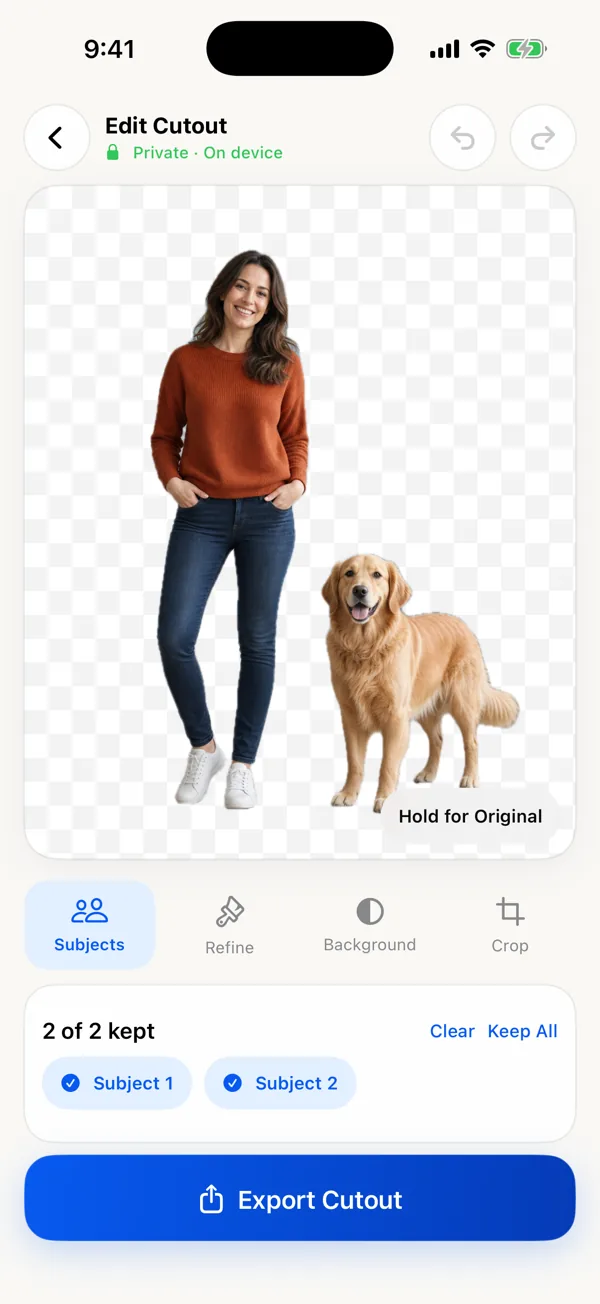
When you choose a photo, Apple Vision’s foreground-instance detection runs on the device and creates the first mask. Nothing is uploaded.
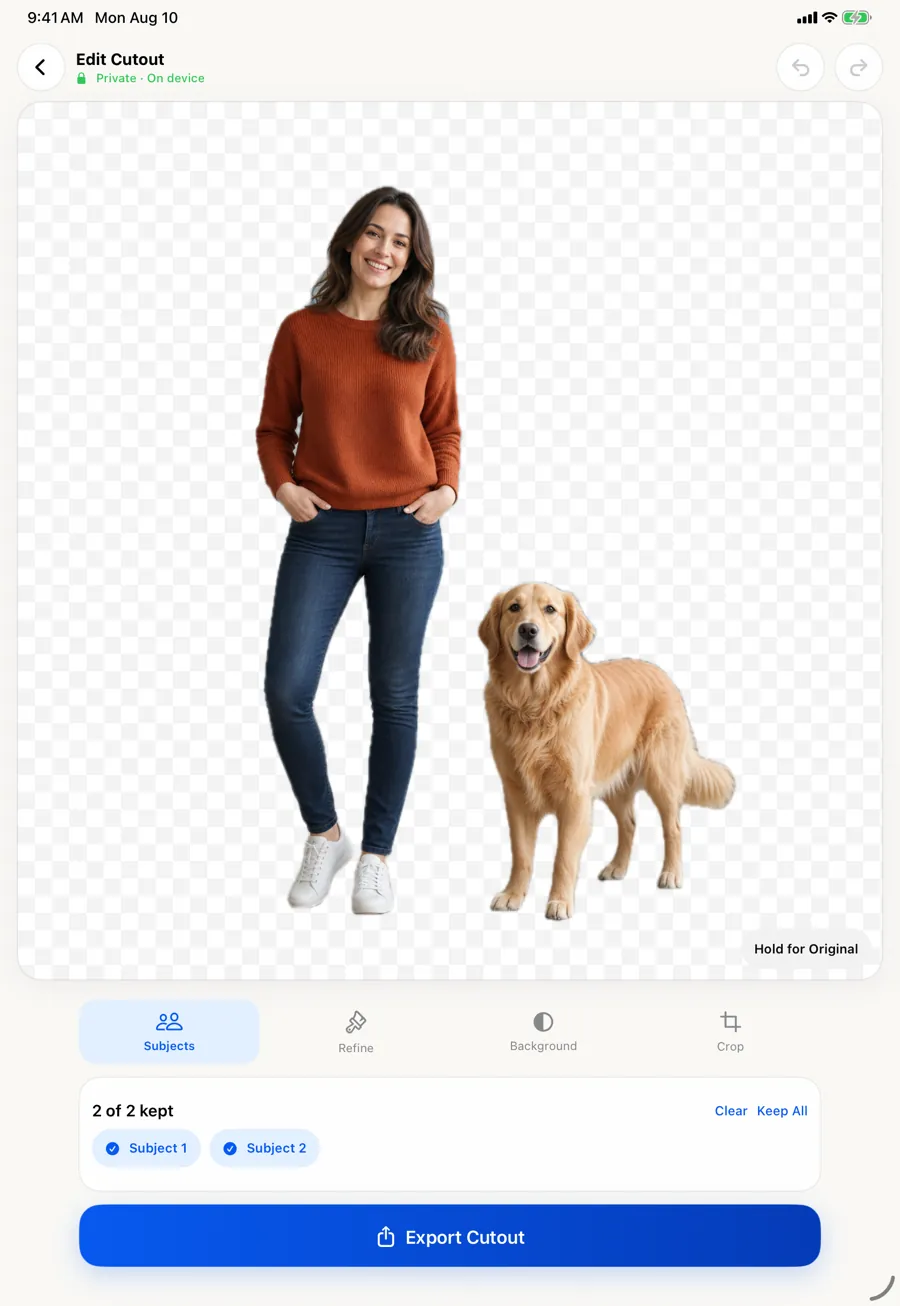
- Keep one, several, or all detected subjects
- Tap a subject on the canvas or its chip to include or exclude it
- “Hold for Original” to compare against the untouched photo
Detection depends on the photo. Overlapping or touching subjects may come back as one group; low contrast and motion blur reduce accuracy. Why some photos split and others don’t.
02 · Refine by hand
Fix what the automatic mask got wrong.
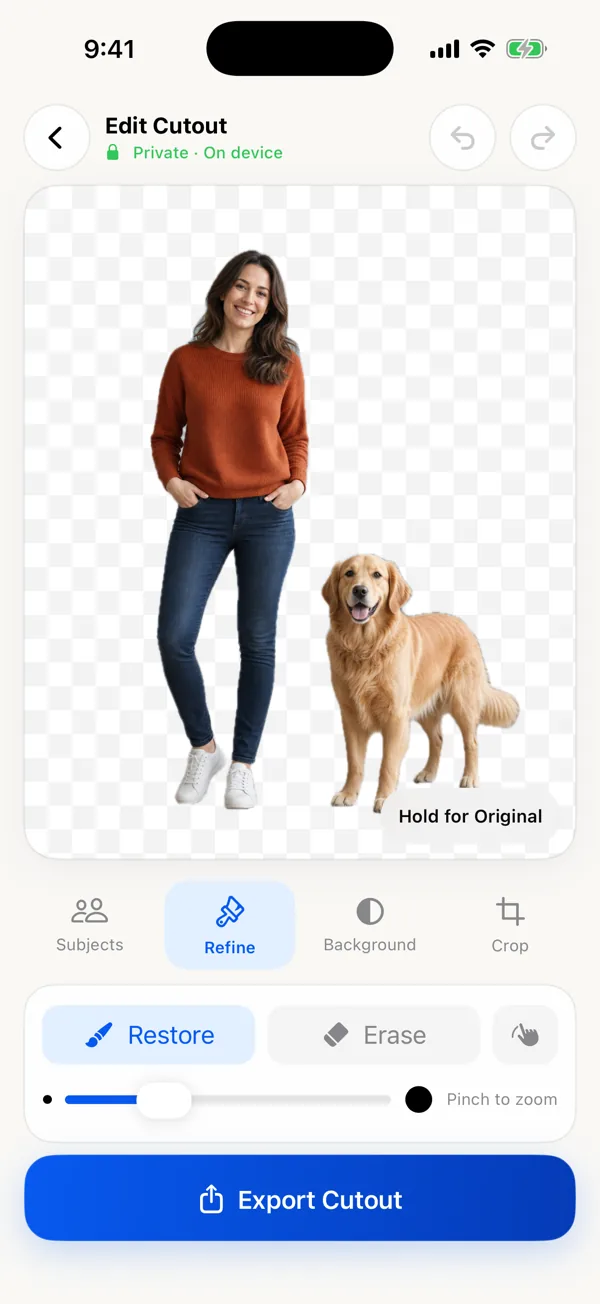
Automatic cutouts are a starting point. Restore paints missing detail back in, such as a strand of hair, a paw, or a bag handle. Erase removes leftover background.
- Restore and Erase brushes with adjustable size
- Pinch to zoom and a Move mode for panning while refining
- Undo and redo, up to 30 steps
03 · Background & crop
Transparent, white, black, or your color.
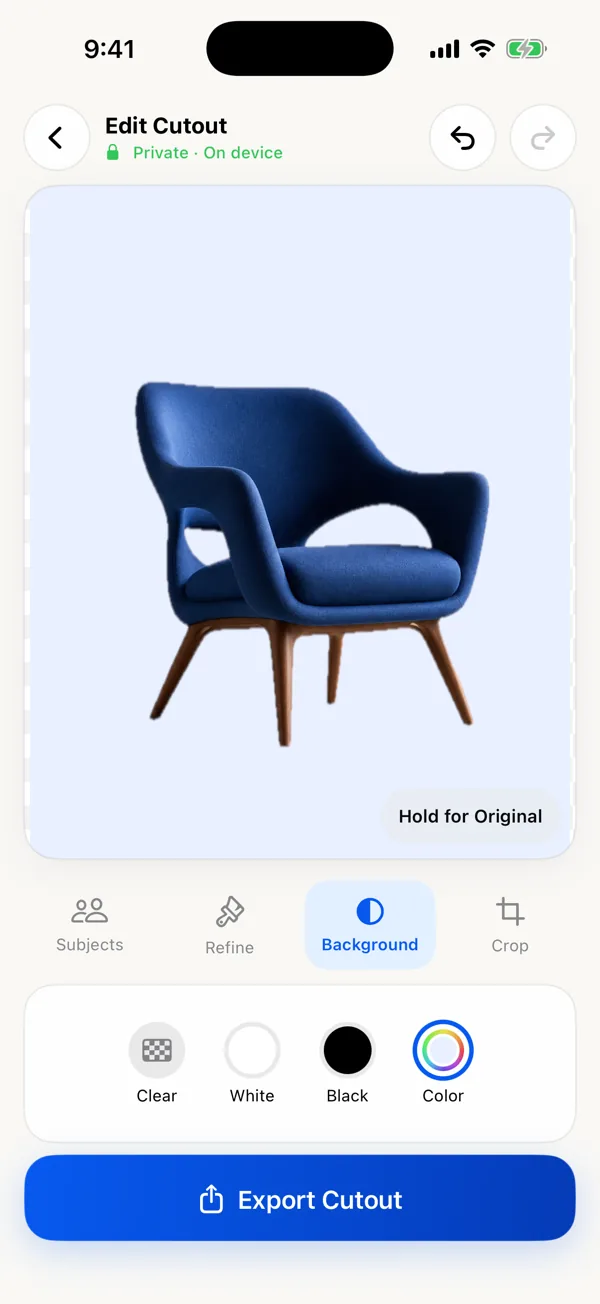
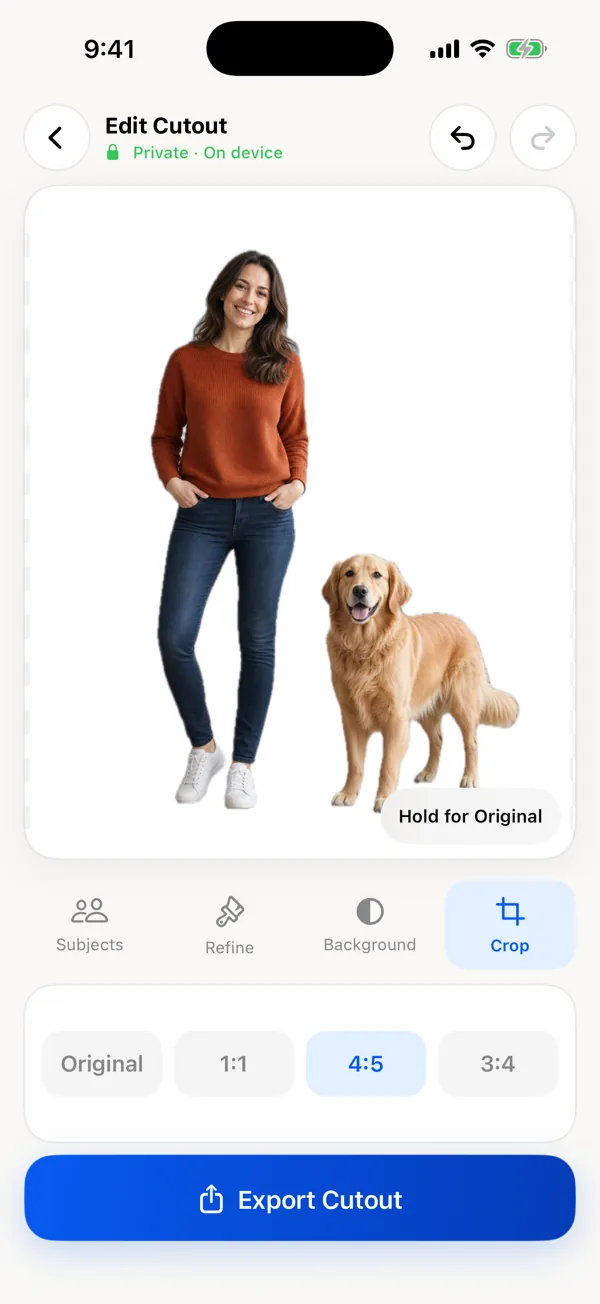
Clear keeps transparency for a PNG. White and Black are one tap; Color opens the system color picker for brand colors. Then crop to the shape the destination expects.
- Backgrounds: Clear, White, Black, custom Color
- Crops: Original, 1:1 square, 4:5, 3:4
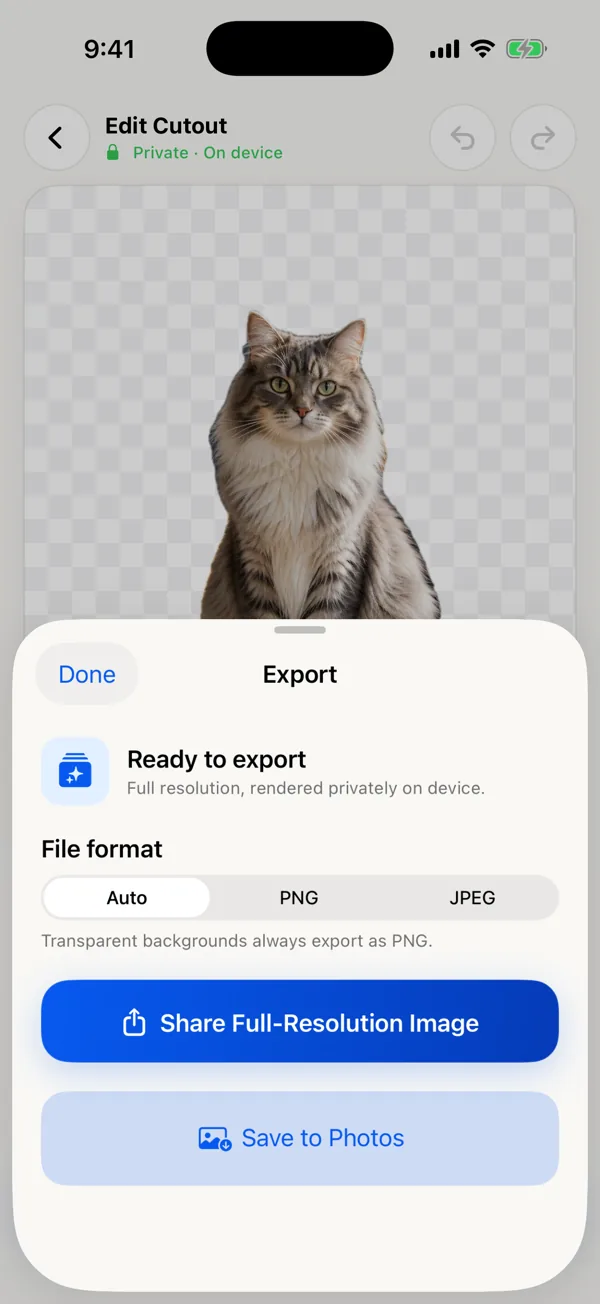
- The checkerboard is only a preview. It is never exported.
04 · Export
Full resolution, in the right format.
The editor works on a lighter preview so brushing stays responsive, then renders the final image from your original photo and mask at export.
- Auto format: PNG for Clear, JPEG for solid backgrounds
- Or pick PNG or JPEG yourself (JPEG at 95% quality)
- Share sheet, or Save to Photos with add-only access
05 · iPhone and iPad
One purchase, both devices.
It is a universal app. On iPad the canvas gets more room, which helps with detailed refinement. Requires iOS or iPadOS 17 or later. The app is available in English and 43 other languages.
06 · Privacy
Everything happens on the device.
No account, photo upload, photo-processing server, advertising SDK, or app analytics. Apple’s photo picker gives the app only the photo you choose. Read the privacy policy.
- App Store label: Data Not Collected
- Works offline
- No sign-in, ever
What it does not do
- No batch processing. It edits one photo at a time.
- No AI-generated backgrounds, shadows, or templates.
- No layers or multi-image collages.
- No video background removal.
- No Mac, Android, or web version.
- No sticker outline or die-cut border. Your print or design tool adds that.